
Django Template Inheritance Explained: DTL Part 2
Django Template Inheritance Explained, Part 1 solved one problem and left another sitting there on purpose. Your homepage now pulls in {{ site_name }} and {{ tagline }} from a real template file instead of a Python string — but that template still has its own full <!DOCTYPE html>, its own <head>, its own navbar. Build a second page with render() the same way, and you’re copying that exact structure into a second file. Build a fifth page, and you’re maintaining five copies of the same navbar.
Template inheritance is what actually fixes that, and it’s the whole subject of this post.
Table of Contents
The Idea Behind Inheritance (Django Template Inheritance Explained)
One template holds the shared structure — the <head>, the navbar, the footer. Every other page template extends that one, filling in only the part that’s actually different for that page. Change the navbar once, in one file, and every page using it updates automatically.
Two tags make this work: {% extends %} and {% block %}.
Step 1: Create a Project-Level Templates Folder
Up to now, templates have lived inside pages/templates/, scoped to one app. A base template is meant to be shared across every app in the project, so it doesn’t really belong inside any single app’s folder. The standard place for it is a templates folder at the project root, sitting next to manage.py:
myfirstproject/
    manage.py
    templates/
        base.html
    pages/
        templates/
            pages/
                home.html
    myfirstproject/
        settings.py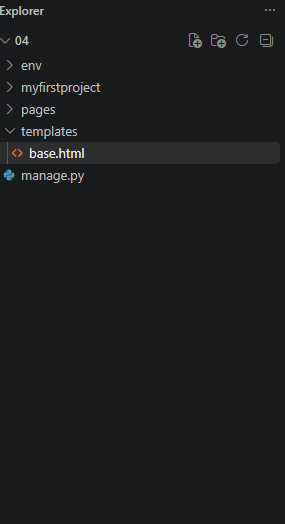
Django doesn’t search this root-level folder automatically — you have to point it there yourself. Open settings.py, find the TEMPLATES setting, and update the DIRS list:
python
TEMPLATES = [
    {
        'BACKEND': 'django.template.backends.django.DjangoTemplates',
        'DIRS': [BASE_DIR / 'templates'],
        'APP_DIRS': True,
        ...
    },
]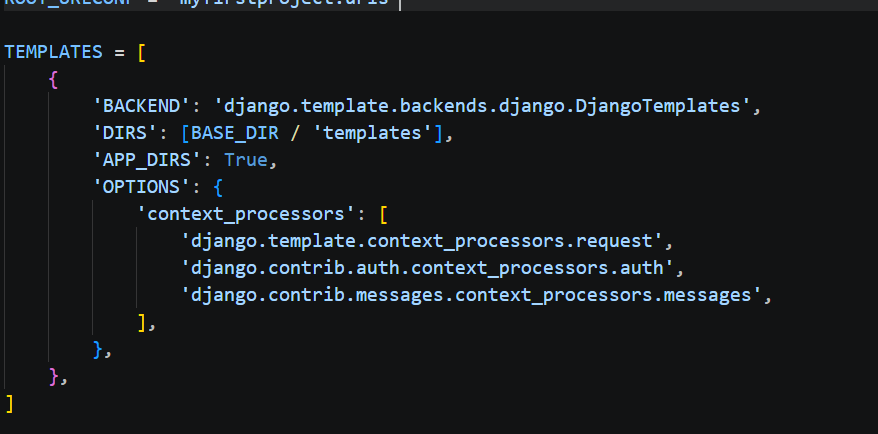
BASE_DIR is already defined near the top of settings.py by default — it just points to your project’s root folder, the same place manage.py lives. Adding BASE_DIR / 'templates' to DIRS tells Django to also look inside that root templates folder, in addition to each app’s own templates folder through APP_DIRS.
Now create base.html inside that root folder, not inside pages/templates/. Put everything that should appear on every page:
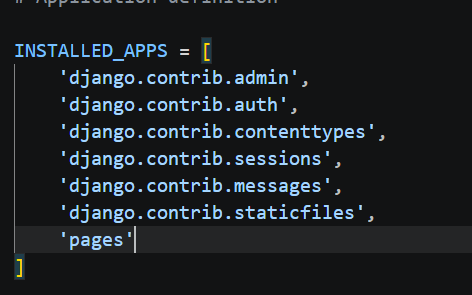
Also Add App In To Installed Apps
html
<!DOCTYPE html>
<html lang="en">
<head>
<meta charset="UTF-8">
<title>{% block title %}My Django Site{% endblock %}</title>
</head>
<body>
<nav>
<a href="/">Home</a>
<a href="/about/">About</a>
</nav>
<main>
{% block content %}{% endblock %}
</main>
<footer>
<p>© 2026 My Django Site</p>
</footer>
</body>
</html>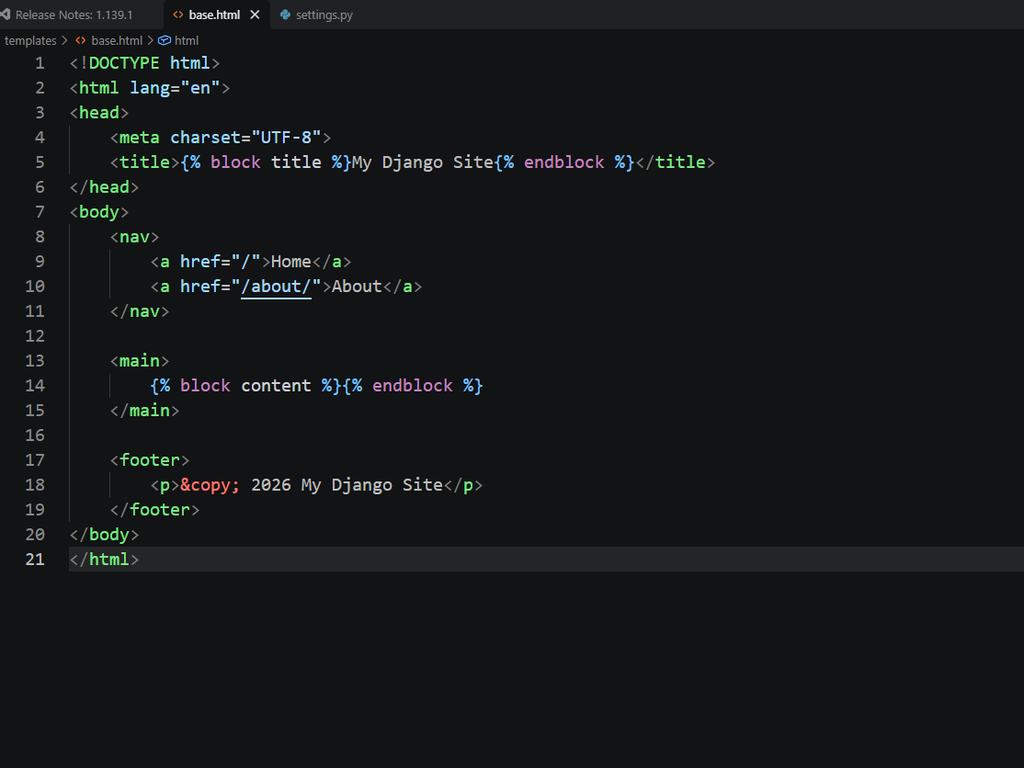
Those {% block %} tags aren’t logic — they’re not {% if %}, they’re not checking anything. They’re just named placeholders, marking the spots where a child template is allowed to insert its own content.
Step 2: Rewrite home.html to Extend It
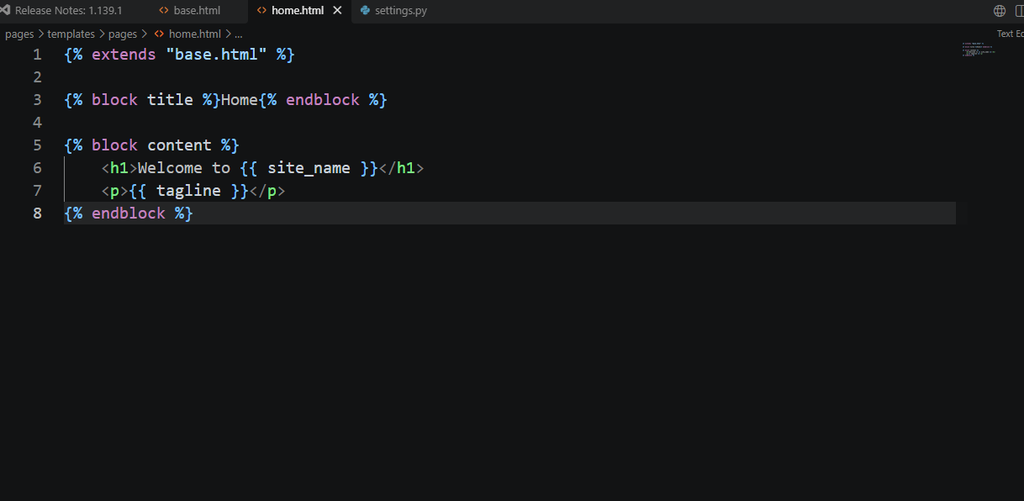
Instead of a full HTML document, home.html now only needs to declare what it extends and fill in the blocks:
html
{% extends "base.html" %}

{% block title %}Home{% endblock %}

{% block content %}
    <h1>Welcome to {{ site_name }}</h1>
    <p>{{ tagline }}</p>
{% endblock %}
{% extends "base.html" %} has to be the very first line in the file — Django requires that. Everything below it fills in the named blocks from the base template. The view from Part 1 doesn’t need to change at all; it still passes site_name and tagline through render() exactly as before.
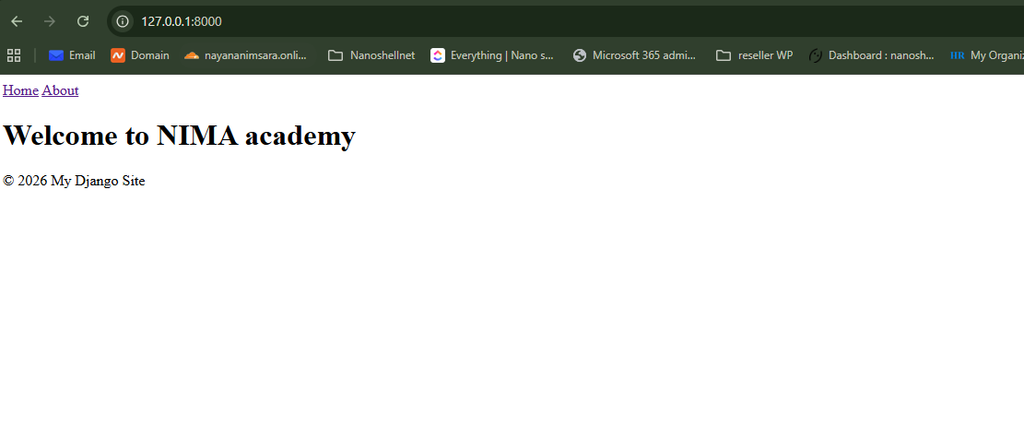
Reload the homepage. Visually, nothing looks different. Structurally, the entire page is now built from two files working together instead of one file repeating everything.
Step 3: Give the About Page the Same Treatment
Assuming you have an about.html template already, or are creating one now, the pattern is identical:
html
{% extends "base.html" %}

{% block title %}About{% endblock %}

{% block content %}
    <h1>About This Site</h1>
    <p>This page shares the same navbar and footer as the homepage, without repeating any of that HTML here.</p>
{% endblock %}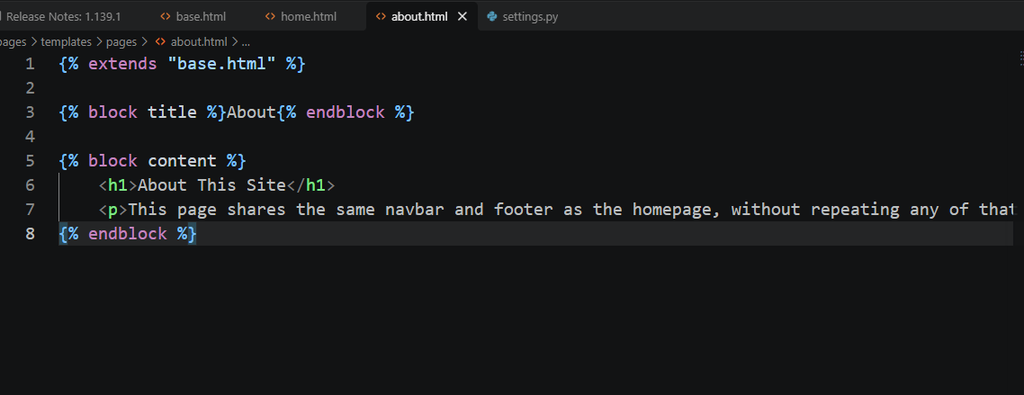
Visit /about/, and the navbar, the <head>, the footer — all identical to the homepage, without a single line of that markup existing in this file.
[Screenshot spot: home and about pages open in two tabs, both showing the identical navbar, proving they’re sharing one base file.]
Proving the Point: Change the Navbar Once
This is the part worth actually testing, not just reading about. Open base.html and add a third link:
html
<nav>
    <a href="/">Home</a>
    <a href="/about/">About</a>
    <a href="/contact/">Contact</a>
</nav>
Reload both the homepage and the About page. The new link appears on both, instantly, without touching home.html or about.html at all. That single edit updating every page at once is the entire reason inheritance exists.
What’s Deliberately Left Out Here
Consistent with where this course actually is, this post doesn’t touch {% if %} or {% for %} — those get their own dedicated lesson separately. There’s no CSS or static file loading yet either. {% extends %} and {% block %} are the only two new pieces of syntax in this post, kept isolated so the mechanics of inheritance don’t get tangled up with anything else.
Mistakes Worth Flagging
Two things trip people up at this stage. First, forgetting {% extends "base.html" %} as the literal first line of a child template — even a comment or blank line above it causes an error. Second, and specific to this setup, forgetting to add BASE_DIR / 'templates' to DIRS in settings.py. Without that line, Django has no idea the root-level templates folder exists, and you’ll get a “TemplateDoesNotExist” error even though the file is sitting right there. If base.html won’t resolve after moving it, that setting is the first thing worth checking.
Series Connections
This continues directly from Part 1 of this series, where render() and {{ variable }} display were introduced — worth revisiting if the context dictionary or render() call here feels unfamiliar. For a deeper look at overriding blocks selectively, including calling a parent block’s original content with {{ block.super }}, the official Django documentation on template inheritance covers patterns beyond what’s needed here.
Convert one more page of your own to extend base.html before the next lesson, then make one small edit to the base file and watch it apply everywhere at once. That’s the moment inheritance stops being a concept and starts being obviously useful.