
Django dynamic URL single post page So far, every page in this course has needed its own view and its own line in urls.py — homepage gets one, About gets one. That works fine for a handful of fixed pages, but it falls apart the moment you’re building something like a blog. You’re not going to write a separate view for every single post. What you actually want is one URL pattern that changes based on what’s requested — /blog/post1/, /blog/post2/, /blog/post3/ — all handled by a single view.
That’s what this lesson covers. Still no templates, still no styling, and still no database — we haven’t gotten there yet in this course, so we’ll fake the data with a plain Python dictionary for now and swap it for something real later.
Table of Contents
Step 1: Set Up a URL That Captures a Value
Open your app’s urls.py and add a new path that captures part of the URL as a variable:
python
from django.urls import path
from . import views

urlpatterns = [
    path('blog/<str:post_slug>/', views.blog_post, name='blog_post'),
]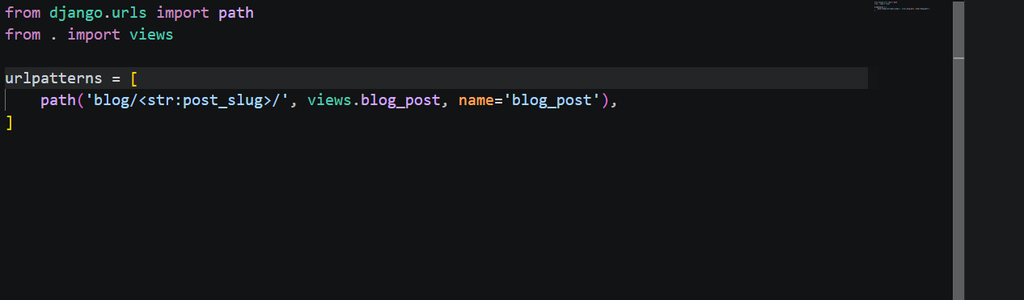
That <str:post_slug> part tells Django: whatever text appears in that position of the URL, capture it as a string and hand it to the view as an argument called post_slug. Visit /blog/post1/, and post_slug becomes "post1". Visit /blog/post2/, and it becomes "post2" — same view, different input.
Step 2: Fake Some Data With a Dictionary
Since we don’t have models yet, a plain Python dictionary is enough to demonstrate the pattern. At the top of views.py, above your view functions, add something like this:
python
posts = {
    "post1": {
        "title": "My First Blog Post",
        "content": "This is the content of my very first post.",
    },
    "post2": {
        "title": "Learning Django Step by Step",
        "content": "This post is about how I'm learning Django one lesson at a time.",
    },
}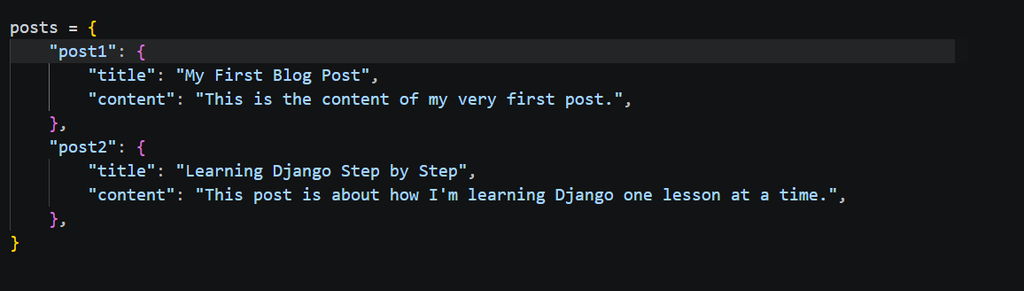
Treat this as a stand-in for a real database. Later in the course, once models are introduced, this same view will fetch data from an actual database instead — but the URL pattern and the logic around it stay almost identical.
Step 3: Write the View
Now write a view that accepts post_slug, looks it up in the dictionary, and builds a plain HTML page around whatever it finds — no CSS, no styling, just the bare tags:
python
from django.http import HttpResponse, Http404
def blog_post(request, post_slug):
post = posts.get(post_slug)
if post is None:
    raise Http404("Post not found")
html = f"""
<!DOCTYPE html>
<html lang="en">
<head>
<meta charset="UTF-8">
<title>{post['title']}</title>
</head>
<body>
<nav>
<a href="/">Home</a>
<a href="/about/">About</a>
</nav>
<main>
<h1>{post['title']}</h1>
<p>{post['content']}</p>
</main>
<footer>
<p>© 2026 My Django Site</p>
</footer>
</body>
</html>
"""
return HttpResponse(html)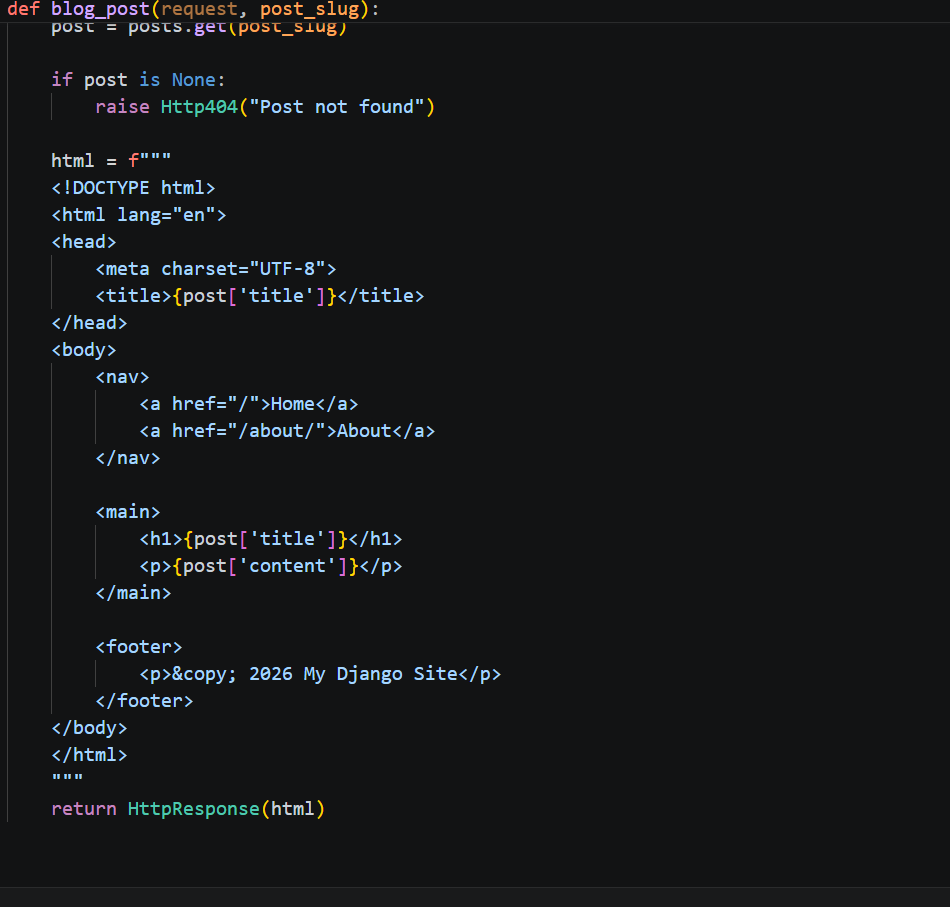
Notice this uses an f-string (f""") instead of a plain triple-quoted string, because we need to insert post['title'] and post['content'] directly into the HTML. Without any <style> block or CSS to worry about, there’s no need to escape curly braces either — the f-string just handles the two variables and nothing else.
Step 4: Handling a Post That Doesn’t Exist
Try visiting /blog/post5/ — a slug that isn’t in the dictionary. Instead of crashing or showing a blank page, Django shows its standard “Page not found” error, because of this check:
python
if post is None:
raise Http404("Post not found")Without that check, post['title'] would throw a confusing error instead of a clean 404. This is a small habit worth keeping from here on — anytime a view depends on something that might not exist, check for it before trying to use it.
Try It With Real URLs
Run your server and visit:
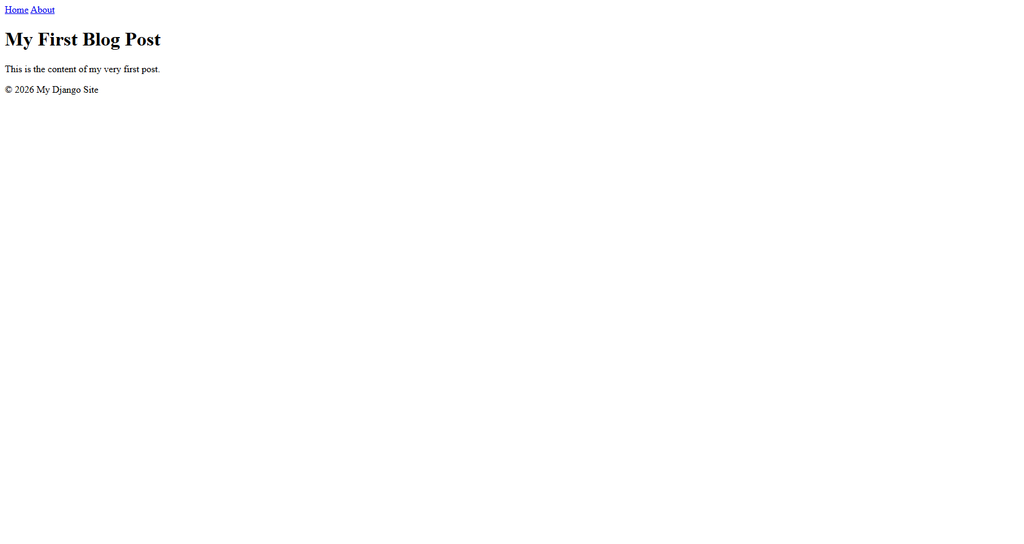
/blog/post1/— shows the first post’s title and content/blog/post2/— shows the second post’s, using the same view/blog/post5/— shows a proper 404, since it isn’t in the dictionary
One view, unlimited pages, as long as the data exists to back them. That’s the actual difference between this and everything built earlier in the course — up to now, every new page meant a new view. From here on, it doesn’t.
Where This Is Genuinely Heading
I want to be honest about the limits of this approach too. A Python dictionary sitting at the top of views.py isn’t how real blogs store content — it resets every time the server restarts, and there’s no way to add a new post without editing code directly. That’s exactly the gap that models and a real database fill, once this course gets there. Styling is missing here too, on purpose — plain HTML tags are enough to prove the routing pattern works, and CSS can come back in later once it’s actually covered.
Where This Connects in the Series
This builds on the URL and view patterns from the earlier lessons — if path() or view functions still feel unfamiliar, it’s worth going back to the tutorial on views and URLs first. For more on how Django captures values from a URL, the official Django documentation on path converters covers the other converter types beyond <str:>, like <int:> and <slug:>.
Try adding a post3 to the dictionary yourself and visiting it without touching views.py again beyond that one addition. Seeing the same view handle it automatically is the part that actually makes this pattern click. Full Course